

Download FoxySpider – Fast, Free Media Downloader for Firefox
Overview
FoxySpider is a powerful Firefox add‑on that turns a routine web‑browsing session into a one‑click media‑harvesting operation. Designed with both casual users and professional content curators in mind, the extension scans any web page you select, identifies the file types you’ve pre‑configured, and downloads them instantly. Whether you need to pull down a batch of high‑resolution images for a design project, archive video clips for research, or collect PDFs and other documents from a resource‑rich site, FoxySpider handles the heavy lifting without requiring additional scripts or external download managers.
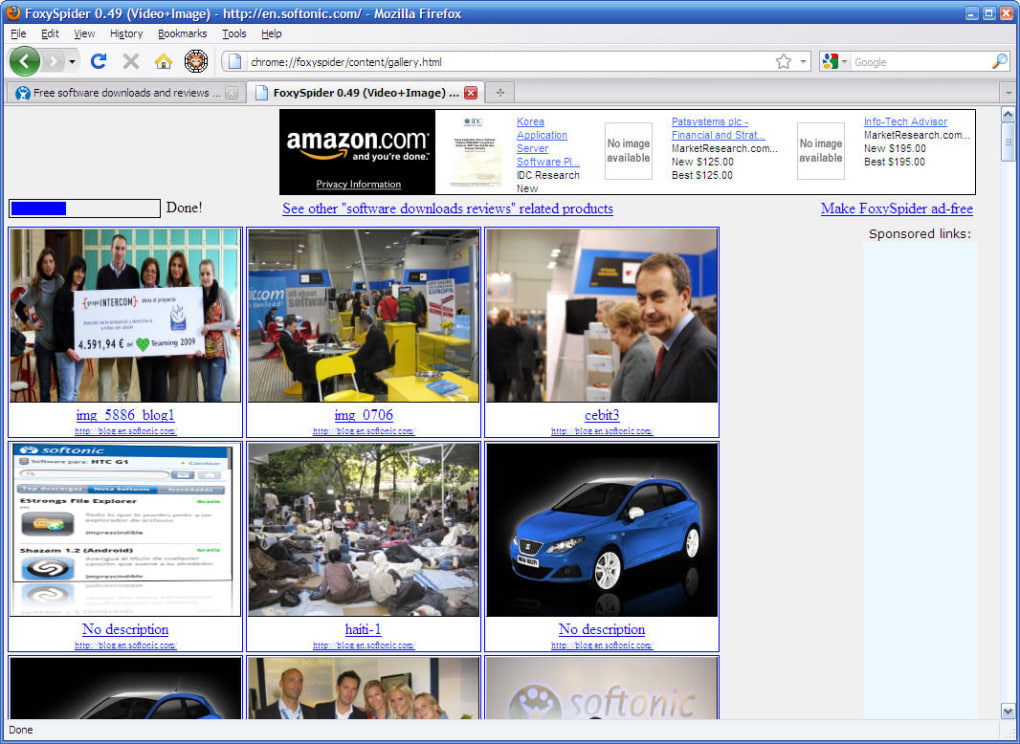
The real magic lies in its flexible configuration panel. Users can specify which file extensions to target—images (JPG, PNG, GIF, WebP), videos (MP4, WebM, OGV), audio, or even custom file types like SVG or EPUB. Beyond simple downloading, FoxySpider automatically builds a visual gallery of the retrieved media, allowing you to preview, sort, and export the collection in a single workflow.
This feature is especially handy for photographers, marketers, and researchers who need a quick, organized snapshot of a site’s visual assets.
While the add‑on focuses on media, it isn’t limited to pictures and videos. By tweaking the crawling filters, you can instruct FoxySpider to locate and download any file that matches your criteria, making it a versatile tool for bulk data collection.
If the generated gallery appears empty, the extension isn’t broken—it’s usually a sign that the filter settings need adjustment. A quick review of the options panel often resolves the issue, ensuring that you capture exactly what you need.
In short, FoxySpider delivers a secure, free, and constantly updated solution for mass media downloading directly from your Firefox browser.
Its intuitive interface, robust filtering, and automatic gallery generation make it a standout choice for anyone looking to streamline the process of extracting web‑based assets.
Key Features & How They Work
- One‑Click Bulk Download: Scan an entire page or a specific section and pull down all matching files with a single click.
- Customizable File Types: Choose from a preset list (images, videos, audio) or add custom extensions such as .svg, .pdf, .epub, etc.
- Automatic Gallery Creation: After downloading, FoxySpider builds a responsive thumbnail gallery for quick preview and easy organization.
- Advanced Crawling Filters: Set depth limits, exclude certain domains, or target specific HTML tags to fine‑tune the scraping process.
- Batch Naming & Folder Structure: Define naming conventions and destination folders so your files are saved in a logical, searchable hierarchy.
- Secure Download Protocols: The add‑on respects HTTPS and runs within Firefox’s sandbox, ensuring that downloaded files are safe and that your browsing data remains private.
- Lightweight & Fast: Built on native Firefox APIs, FoxySpider consumes minimal system resources while delivering rapid scan and download speeds.
- Regular Updates: The developer pushes frequent updates to keep up with browser changes and to add new file‑type support.
Why These Features Matter
For content creators, time is money. The ability to capture dozens or hundreds of assets without manually right‑clicking each file can shave hours off a project timeline. FoxySpider’s custom file‑type support means you aren’t locked into a predefined set of media; you can adapt the tool to niche workflows, such as gathering research PDFs from academic portals or extracting SVG icons for UI design.
The automatic gallery not only provides a visual audit of what’s been downloaded but also allows you to deselect unwanted items before they hit your hard drive, preventing clutter and saving storage space.
Security is another critical factor. Because the add‑on operates inside Firefox, it inherits the browser’s sandboxing, which limits the risk of malicious code execution.
All downloads are handled via the browser’s native download manager, preserving the integrity of the files and ensuring that any built‑in anti‑virus checks are applied.
Finally, the regular update cycle guarantees compatibility with the latest Firefox releases, a common pain point for many extensions that become obsolete after a major browser update. Users can trust that FoxySpider will continue to work reliably, making it a future‑proof investment for any media‑heavy workflow.
Installation, Configuration, and Everyday Use
Step‑by‑Step Installation
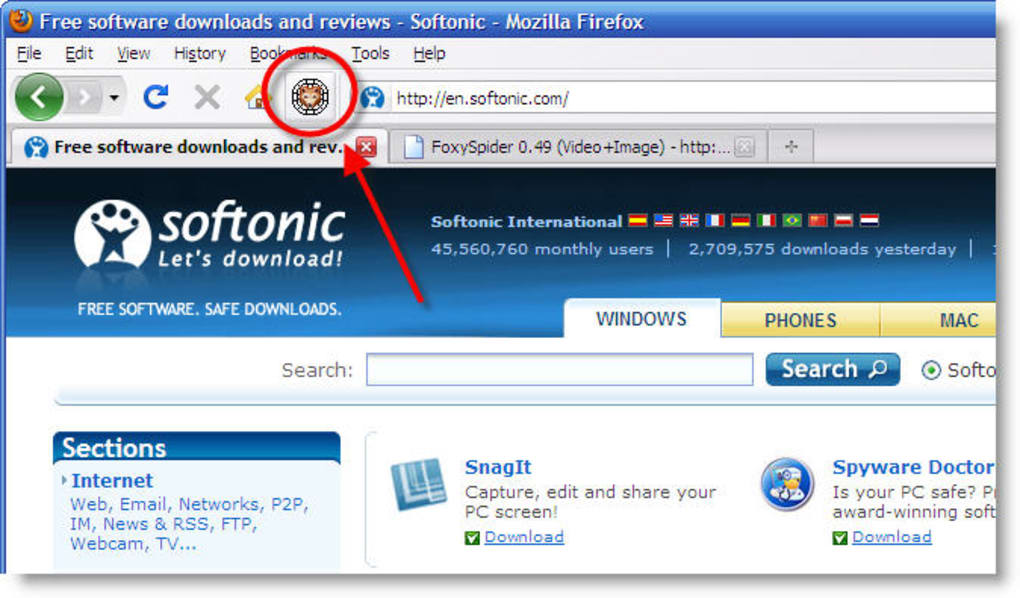
Installing FoxySpider is straightforward. Open Firefox, navigate to the official Add‑Ons page, and click “Add to Firefox.” A permission dialog will appear, outlining the sites the extension can access. Approve the request, and the add‑on will appear as a spider‑icon in your toolbar. No separate installer or external program is required, making the process completely free and secure.
Initial Configuration
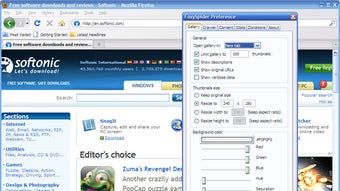
After installation, click the FoxySpider icon to open the options panel. Here you’ll find several tabs:
- File Types: Tick the boxes for the media you want to download. Use the “Custom” field to add extensions not listed by default.
- Gallery Settings: Choose thumbnail size, layout (grid or list), and whether to display file names underneath each image.
- Crawling Filters: Define the maximum depth of the scan, include or exclude specific domains, and set CSS selectors to target particular page sections.
- Naming & Saving: Configure a naming pattern (e.g., {date}_{original_name}) and select a default download folder on your computer.
Typical Workflow
To start a download, navigate to the target website, then click the FoxySpider icon. The add‑on will instantly begin scanning the page based on your saved criteria. A progress bar appears, showing the number of files identified and the download status.
Once the scan finishes, a pop‑up gallery displays all captured media. From here you can:
- Preview each file by clicking its thumbnail.
- Deselect any unwanted items before finalizing the download.
- Click “Download All” to save the selected files to your predefined folder.
Troubleshooting Common Issues
An empty gallery usually signals that the current filters are too restrictive. Re‑open the options panel, broaden the file‑type list, or remove any domain exclusions. If the add‑on fails to scan a dynamic site that loads content via JavaScript, enable the “Wait for page load” toggle, which tells FoxySpider to pause until all scripts have finished executing. For persistent problems, the “Reset to Default” button restores the original configuration, providing a clean slate for new setups.
Compatibility, Pros & Cons, and Frequently Asked Questions
FoxySpider is built exclusively for the Firefox browser and works on all major operating systems that support Firefox, including Windows 10/11, macOS 10.14+, Linux distributions, and even Chrome‑OS via the Firefox for Android app. The extension automatically adapts to the underlying OS, leveraging Firefox’s cross‑platform APIs. No separate mobile version exists, but the Android Firefox app can run the add‑on, offering a limited but functional experience on smartphones and tablets.
Pros
- Free and open‑source, with no hidden fees or subscription model.
- One‑click bulk download saves massive time on media‑heavy projects.
- Highly customizable file‑type and crawling filters.
- Automatic gallery provides instant visual feedback.
- Lightweight, secure, and regularly updated for Firefox compatibility.
Cons
- Limited to Firefox; no native support for Chrome, Edge, or Safari.
- Advanced filtering may require a learning curve for new users.
- Mobile functionality is restricted to Firefox for Android, lacking full desktop features.
- Large galleries can consume considerable RAM on low‑spec machines.
FAQ – Frequently Asked Questions
Can I use FoxySpider to download files from password‑protected sites?
Yes. If you are already logged into a site within Firefox, FoxySpider inherits the session cookies, allowing it to scan and download files behind authentication walls. However, it cannot bypass login prompts on its own.
Is there a limit to the number of files I can download at once?
There is no hard‑coded limit. The practical limit depends on your system’s RAM and storage space, as well as the bandwidth of the source website. Very large batches may take longer and could temporarily slow down Firefox.
How does FoxySpider ensure downloaded files are safe?
Downloads are handled by Firefox’s native download manager, which respects existing security settings and runs any installed anti‑virus scanners on the files. The add‑on itself operates within Firefox’s sandbox, preventing malicious code execution.
Can I export the generated gallery as an HTML page?
Yes. In the gallery view, there’s an “Export Gallery” button that creates a simple HTML file with thumbnails linked to the local files. This is useful for sharing a quick preview with teammates.
What should I do if the gallery shows no results even though the site has media?
First, revisit the Options panel and verify that the desired file extensions are selected. Next, check the crawling filters—make sure you haven’t set a depth limit that’s too shallow or excluded the domain inadvertently. Finally, enable the “Wait for page load” option for sites that load content dynamically.
Professional Review
Rating: ★★★★☆ (4 out of 5)
Summary: FoxySpider delivers a fast, secure, and highly configurable solution for bulk media downloading within Firefox. While its exclusive focus on Firefox may limit some users, the feature set, automatic gallery, and zero‑cost model make it an excellent tool for designers, researchers, and everyday internet explorers.
Conclusion & Call to Action
In a digital world where visual content reigns supreme, having a reliable, one‑click media downloader can dramatically accelerate your workflow. FoxySpider checks all the boxes: it’s free, secure, regularly updated, and packed with advanced features that let you tailor the download process to virtually any scenario. Whether you’re a photographer building a reference board, a marketer gathering campaign assets, or a student compiling research materials, the add‑on streamlines the otherwise tedious task of manual downloading.
The only notable drawback is its Firefox‑only availability, which may require users of other browsers to switch or run a parallel Firefox instance. Nevertheless, the benefits far outweigh this limitation for anyone who already relies on Firefox as their primary browser.
Ready to supercharge your browsing and start downloading media in seconds? Download FoxySpider now and experience the convenience of automated media harvesting. Remember to explore the configuration options to unlock the full potential of the tool—your future self will thank you for the time saved.







